
Video files, design portfolios, software builds, medical scans, legal archives — modern work runs on enormous files. But learning how to share large files securely is one of the most overlooked digital skills, and getting it wrong can be expensive. Email attachments cap out at a few megabytes, consumer chat apps compress or strip metadata, and plain FTP sends your data across the internet in readable form. Meanwhile, cyberattacks keep rising: IBM has reported the average data breach cost at roughly $4.88 million, and industry reporting suggests a large share of breaches involve data intercepted or exposed during transfers. In this guide, you will learn exactly how to share large files securely — the encryption concepts that protect you, the methods that actually work in 2026, how to choose the right service, and a practical checklist you can apply today.
Why Learning How to Share Large Files Securely Matters
Every day, billions of files cross the internet: project folders, client records, family videos, financial spreadsheets. Most people never think twice about how they send them. They attach a zip to an email, drop a file into a chat, or post a “public link” from a cloud drive — and in doing so, they hand sensitive data to infrastructure they barely understand.
The risks are concrete and well documented:
- Interception during transfer: unencrypted connections let anyone on the network path read or modify files in transit. Public Wi-Fi networks in cafes, airports, and co-working spaces are classic interception points.
- Over-permissioned links: a link set to “anyone with the link can edit” is effectively public. Once forwarded or indexed, you have lost control of who sees the file.
- Account takeover: compromised credentials remain one of the leading causes of breaches. If your cloud account falls, every file you have ever shared through it is exposed.
- Compliance exposure: industries like healthcare, finance, and legal work operate under regulations such as GDPR, HIPAA, and FINRA. Casual file sharing can turn into a compliance violation with real fines.
- Ransomware propagation: shared folders that sync automatically can spread an infection from one device to every connected machine in seconds.
Market analysts have taken notice. Gartner research cited in industry coverage projects the secure file sharing market growing around 15% per year through 2026, reflecting how central safe collaboration has become to remote and hybrid work. The takeaway is simple: sharing large files securely is no longer a niche IT concern — it is a basic professional competency, as fundamental as knowing how to lock your screen.
How Secure File Sharing Actually Works
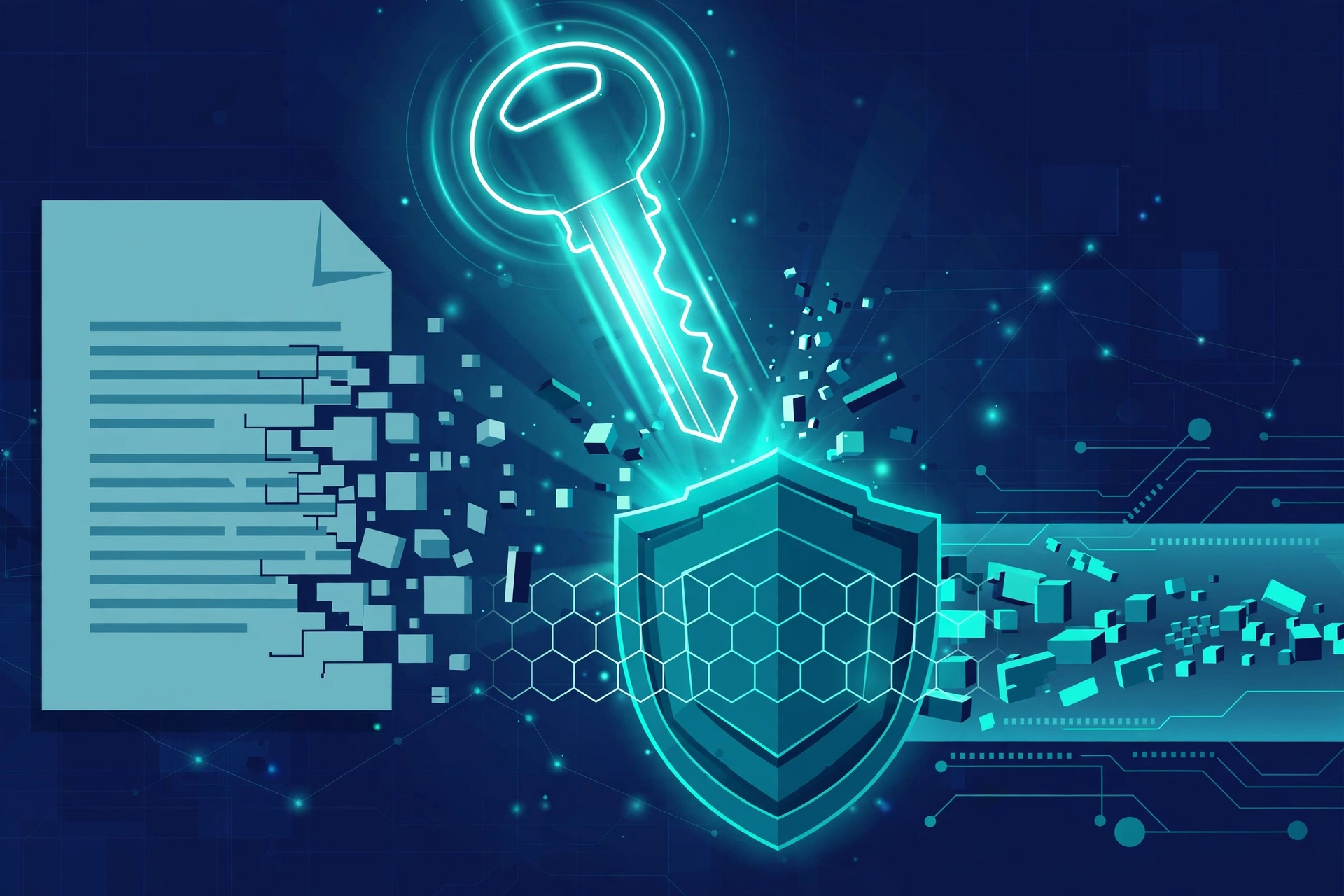
Before comparing tools, it helps to understand the three protective layers that make a file transfer “secure.” Knowing how to share large files securely starts with knowing what is actually happening to your data between sender and recipient.
1. Encryption at rest (AES-256)
When a file sits on a provider’s servers, it should be encrypted — scrambled into unreadable ciphertext using a mathematical key. AES-256 is the industry-standard cipher, used by banks, governments, and cloud giants. Properly implemented, it is effectively unbreakable with current technology. Every reputable file sharing service encrypts data at rest; the differentiator is who holds the keys.
2. Encryption in transit (TLS 1.3)
While your file travels across the internet, it rides inside an encrypted tunnel — typically TLS 1.3, the same protocol that protects your bank’s website. Without it, the file is a postcard; with it, the file is a sealed envelope. Any service that cannot confirm TLS in transit should be disqualified immediately.
3. End-to-end encryption and zero-knowledge architecture
This is the gold standard. With end-to-end encryption, files are encrypted on your device before upload, and only the recipient’s device can decrypt them. The service provider itself cannot read your files — a design called zero-knowledge architecture. Services like Tresorit, Sync.com, and Proton Drive are built around this model. It matters most when the contents themselves are the liability: legal discovery documents, unreleased product designs, medical records.
The five-step journey of a secure transfer
Under the hood, every secure file sharing process follows roughly the same choreography:
- Upload: you select the file and the client prepares it for transfer.
- Encryption: the file is encrypted — ideally on your device with a key only you and the recipient control.
- Secure transfer: the encrypted package travels over a TLS-protected channel to the server or directly to the recipient.
- Access authorization: the recipient proves their identity — via an account login, a password-protected link, or a one-time code.
- Decryption: the file is decrypted on the recipient’s device, ready to view or download.
The whole sequence usually completes in seconds, which is why most users never notice it. But the difference between a service that performs all five steps and one that skips encryption is the difference between a locked safe and a glass box.
Methods for Sharing Large Files Securely
There is no single best method — the right choice depends on file size, sensitivity, how often you share, and how technically comfortable your recipients are. Here are the proven approaches, with honest trade-offs.
Cloud storage services with controlled sharing links
Google Drive, Dropbox, OneDrive, and Box let you upload files of many gigabytes and generate a sharing link. They are the easiest option for most people, and when configured properly, they are reasonably secure. The key word is configured.
- Set links to “restricted” or specific people rather than “anyone with the link” whenever the file is sensitive.
- Use view-only permissions unless the recipient genuinely needs to edit.
- Set expiration dates so links die automatically after the project ends.
- Disable downloads for view-only documents when the platform allows it.
Google Drive and OneDrive shine for collaboration because recipients can preview and comment without downloading. Dropbox’s Smart Sync keeps giant folders from devouring local disk space. Box is purpose-built for regulated industries, with HIPAA and FedRAMP compliance baked in. Storage is effectively commoditized in 2026, so choose on security controls and workflow fit, not gigabytes.
Dedicated encrypted sharing platforms
When privacy is the entire point, purpose-built services outperform general cloud drives. Tresorit and Sync.com offer zero-knowledge encryption: even their own employees cannot read your files. Proton Drive brings the same philosophy from the makers of Proton Mail. Some newer platforms add engagement analytics — showing who opened which page of a shared document and for how long — which is invaluable for investor decks, proposals, and legal filings where knowing a document was actually read matters.
These services typically cost more per user than a basic cloud drive, and zero-knowledge designs can limit features like server-side search and instant previews. For confidential, high-stakes sharing, the trade is worth it.
Managed file transfer and SFTP for businesses
For teams that move large files on a schedule — nightly backups, media pipelines, partner data feeds — managed file transfer (MFT) platforms and SFTP servers provide automation, audit trails, and policy enforcement that ad-hoc links cannot. Protocols like SFTP and FTPS encrypt the transfer channel, dramatically reducing interception risk compared to legacy FTP, which transmits credentials and data in plain text. If your organization still uses plain FTP anywhere, migrating away is one of the highest-value security upgrades available.

Encrypted archives for one-off sends
Sometimes you do not need a platform at all. Tools like 7-Zip (free, open source) can compress a folder and lock it with AES-256 encryption behind a strong password. You then send the archive through any channel — even an ordinary one — and deliver the password separately, ideally by a different channel (a phone call, a messaging app). This “split channel” approach means an attacker who intercepts the file still lacks the key. GnuPG offers similar protection with public-key cryptography for technical teams.
The weakness is human: weak passwords, reused passwords, or sending the password in the same email as the file defeat the entire scheme. Used carefully, though, encrypted archives remain one of the most underrated ways to share large files securely.
Peer-to-peer transfer tools
Browser-based peer-to-peer services establish a direct encrypted connection between sender and recipient, so the file never rests on a third-party server at all. They are excellent for quick, large, one-time transfers. The catch: both parties must be online simultaneously, and the transfer can stall on unreliable networks. For recurring collaboration, a cloud service with persistent storage is usually more practical.
What to avoid
A few methods are popular precisely because they should be retired:
- Plain FTP: credentials and files travel unencrypted. Replace with SFTP or FTPS.
- Email attachments: limited to roughly 20–25 MB by most providers, with no meaningful access control once sent.
- USB drives by post: unencrypted media can be lost, copied, or tampered with in transit — and “sneakernet” has no audit trail.
- Public “anyone with the link” links for sensitive files: convenient, discoverable, and irreversible once shared.
How to Choose the Right File Sharing Service
With dozens of options on the market, selection paralysis is real. Evaluate candidates against these six criteria instead of comparing feature checklists feature by feature:
- Encryption standards: insist on AES-256 at rest and TLS 1.3 in transit. Bonus points for end-to-end encryption and zero-knowledge architecture.
- Access controls: look for granular permissions (view, comment, edit), password-protected links, expiration dates, and download controls.
- Authentication: multi-factor authentication (MFA) and single sign-on (SSO) should be available, especially for team accounts.
- Compliance: if you work in healthcare, finance, or government contracting, verify certifications like SOC 2 Type II, ISO 27001, GDPR alignment, HIPAA, or FedRAMP.
- Audit trails: the service should log who accessed what, when, and from where. When something goes wrong, this log is your evidence.
- Ease of use: the most secure tool in the world fails if your recipients cannot figure it out. Friction drives people back to insecure workarounds.
A quick orientation to the 2026 landscape: Box leads for regulated-industry compliance; Microsoft OneDrive and SharePoint dominate organizations already in the Microsoft 365 ecosystem with native Office co-authoring; Google Drive offers the best real-time collaboration; Dropbox Business excels at cross-platform sync; Tresorit and Sync.com win on privacy with zero-knowledge encryption; Egnyte bridges on-premises and cloud storage for hybrid setups; and open-source Nextcloud lets you self-host for full data sovereignty. Pricing in 2026 typically ranges from free tiers up to roughly $15–$30 per user per month for business plans — though published prices shift, so verify current pricing on the vendor’s site before budgeting.
For most individuals and small teams, the pragmatic answer is simple: use the secure cloud service you already pay for, configure its sharing settings properly, and layer on encryption for anything genuinely sensitive. Upgrading to a specialized platform only pays off when confidentiality is a core business requirement.
Secure File Sharing Best Practices: The Complete Checklist
Knowing how to share large files securely is mostly a matter of discipline. Run through this checklist before every significant transfer:
- Use strong, unique passwords for every sharing account, stored in a reputable password manager — never reused across services.
- Enable multi-factor authentication on every account that touches shared files. MFA blocks the vast majority of account-takeover attacks.
- Choose reputable services with published encryption standards and a track record of security investment, not the newest free app.
- Default to restricted links: share with specific people, not “anyone with the link,” and grant the minimum permission needed.
- Set link expiration dates — seven days is a sensible default for external shares — and revoke links the moment a project ends.
- Password-protect sensitive shares and send the password through a separate channel from the file or link.
- Avoid public Wi-Fi for sensitive transfers; if you must use it, route through a trusted VPN.
- Keep software updated: clients, browsers, and operating systems patch vulnerabilities that attackers actively exploit.
- Verify the recipient before sending anything sensitive — confirm the email address or identity through a second channel when stakes are high.
- Maintain backups separately from sync: remember that synchronization propagates deletions and corruption, so keep an independent, versioned backup and test restoring from it.
- Monitor sharing activity: enable alerts for unusual access patterns and review who has access to shared folders quarterly.
- Establish naming and folder conventions (for example,
YYYY-MM-DD_ProjectName_DocumentType_v2) so teams never confuse versions or duplicate work. - Train your team: quarterly refreshers on phishing, link hygiene, and your chosen platform’s features prevent the human errors that cause most incidents.
- Clean up regularly: monthly reviews that remove outdated shares, duplicate files, and ex-employees’ access keep the attack surface small.
Common Mistakes to Avoid
Even careful people fall into these traps:
- Forwarding links casually: every forward multiplies your exposure. If a link must reach someone new, generate a fresh one.
- Leaving “public” as the default: audit your drive’s sharing settings today — many users are shocked by how many files are link-accessible.
- Trusting compression as security: a standard zip file is not encrypted. Without a password and AES encryption, anyone can open it.
- Ignoring version history: shared documents evolve; without versioning, a bad edit or ransomware event can destroy the only good copy.
- Sharing credentials instead of files: never hand someone your account password so they can “just grab the file.” Share the file with their identity instead.
- Assuming sync equals backup: as noted above, sync mirrors mistakes. A deleted file in a synced folder is deleted everywhere — retention policies and tested restores are what actually protect you.
The Future of File Sharing
The next few years will make secure sharing both easier and more demanding. End-to-end encryption is moving from a premium feature to a baseline expectation. AI-assisted features — automatic classification of sensitive documents, anomaly detection on sharing patterns, smarter access recommendations — are appearing in enterprise platforms. Regulatory pressure continues to rise, with data-residency requirements pushing more organizations toward regional hosting or self-hosted options like Nextcloud. And as files keep growing — 8K video, massive datasets, AI model weights — transfer protocols and chunked-upload engineering will matter as much as encryption. The fundamentals in this guide will not expire, but the tooling around them will keep evolving.
Conclusion
Learning how to share large files securely boils down to three habits: encrypt everything (at rest with AES-256, in transit with TLS 1.3, end-to-end when it matters), control access ruthlessly (specific people, minimum permissions, expiring links), and verify relentlessly (MFA, audit trails, regular cleanups). The tools have never been better — from zero-knowledge platforms like Tresorit and Sync.com to the sharing controls built into the cloud drives you already use. Pick the method that fits the sensitivity of the file, follow the checklist, and large files stop being a liability and go back to being what they should be: just work, delivered safely.
Frequently Asked Questions
What is the safest way to share large files?
The safest approach combines a reputable platform with AES-256 encryption at rest, TLS 1.3 in transit, and ideally end-to-end encryption, plus restricted recipient lists, expiring password-protected links, and MFA on your account. For maximum privacy, use a zero-knowledge service such as Tresorit, Sync.com, or Proton Drive.
How can I share a file that is too large for email?
Upload it to a cloud storage service (Google Drive, Dropbox, OneDrive) and share a controlled link, or use a dedicated large-file transfer service. For one-off sends, compress the folder into a password-protected AES-256 archive with 7-Zip and send the password through a separate channel.
Are free file sharing services secure enough?
Free tiers from reputable providers can be fine for non-sensitive files, but check the encryption standards, whether link controls exist, and what the provider’s business model is — free services funded by advertising or data analytics deserve extra scrutiny for confidential material.
What does zero-knowledge encryption mean?
Zero-knowledge means the service provider cannot read your files because encryption keys never leave your devices. Even if the provider’s servers were compromised or subpoenaed, your data would remain unreadable ciphertext without your key.
How long should a file sharing link stay active?
As short as the task requires. Seven days is a common default for external collaboration; for highly sensitive documents, consider 24–72 hours, or revoke the link manually the moment the recipient confirms download.