
Enterprise Resource Planning (ERP) software runs some of the world’s largest companies, yet the term itself still confuses many people who are just beginning to explore business software. If you have searched for what are ERP modules explained for beginners, you are in the right place. In this guide, you will learn exactly what an ERP module is, how the core modules of a modern ERP system work, how they connect to each other, and how to decide which modules your business actually needs.
By the end of this article, you will be able to explain ERP modules to a colleague, recognize the difference between essential and optional components, and walk into a software demo with a clear picture of what you are evaluating. Let us start with the fundamentals.
What Is an ERP Module?
An ERP module is a self-contained functional component of an ERP system that manages one specific business process, such as accounting, inventory, purchasing, payroll, or customer service. Think of an ERP system as a city and each module as a district: the finance district, the warehouse district, the human resources district. Each district has its own buildings and workers, but they all share the same roads, water, and power — the unified database underneath.
That shared foundation is the defining feature of ERP. In older business setups, every department ran its own separate software: accounting used one application, the warehouse used another, and sales used a third. Data had to be copied, emailed, or re-typed from one system to another, which created errors, delays, and conflicting versions of the truth. ERP modules eliminate that problem because every module reads from and writes to the same central database. When a salesperson records an order, the inventory module sees it instantly, the finance module books the revenue, and the warehouse module knows what to ship — no manual data transfers required.
Most ERP vendors structure their products modularly on purpose. A small business might start with only finance and purchasing, then add inventory, manufacturing, and HR modules as it grows. This pick-and-choose architecture means you pay for what you need today and can switch on more capability later without ripping everything out and starting over.
Key characteristics of ERP modules
- Shared database: all modules draw from one source of truth, so data entered once is visible everywhere.
- Real-time integration: an update in one module flows to connected modules immediately.
- Role-based access: users see only the modules and data relevant to their job, which protects sensitive information.
- Configurable: each module can be adjusted through settings to match your processes without rewriting code.
- Scalable: you can add modules over time as the business expands into new functions.
How ERP Modules Work Together
Understanding integration is the key to understanding ERP itself. Let us walk through a single business transaction and watch several modules cooperate.
A customer places an order through your online store. The order management module records the sale, applies pricing rules, and checks credit limits. It instantly notifies the inventory management module, which reserves the requested stock and flags a reorder if inventory drops below the safety level. The warehouse management module creates a pick list, telling staff exactly which bin to pull the items from. When the order ships, the finance module generates the invoice, posts the revenue to the general ledger, and updates accounts receivable. The CRM module logs the interaction so support staff can see the customer’s purchase history. Finally, the business intelligence module folds the sale into dashboards showing today’s revenue, top-selling products, and inventory turnover.
Six modules, one transaction, zero re-typing. In a system of disconnected software, that same order would have been entered three or four times, each time a chance for a mistake. This is why companies pursue ERP despite the cost and complexity: the integration itself is the product.
The single database principle
Under the hood, every module stores its data in one relational database. A “customer” exists once in the system — not once in sales software, once in accounting, and once in support. That customer record links to orders, invoices, payments, shipments, and support tickets. Because there is only one customer record, there is no disagreement between departments about how much the customer owes or what they ordered. This principle is sometimes called a “single source of truth,” and it is the single biggest advantage ERP has over a patchwork of point solutions.
The 10 Essential ERP Modules Explained
Most modern ERP suites include between ten and fourteen core modules. Vendors bundle and name them differently, but the following ten represent the standard functional structure. For each module, we will cover what it does, who uses it, and why it matters.
1. Financial Management (Finance and Accounting)
The financial module is the heart of every ERP system and the one module nearly every business implements first. It handles the general ledger, accounts payable, accounts receivable, fixed assets, budgeting, tax management, and financial reporting. It automates the month-end close, supports multi-currency transactions for international businesses, and produces the balance sheet, income statement, and cash flow reports that executives and auditors rely on.
Why implement it first? Finance centralizes control of money — the one resource every department touches. It establishes the chart of accounts, the reporting structure, and the compliance foundation that every other module depends on. Industry experts consistently recommend starting here: without accurate financials, the rest of the system has nothing trustworthy to build on.

2. Procurement (Purchasing)
The procurement module manages everything a company buys: purchase requisitions, requests for quotation (RFQs), purchase orders, vendor records, receiving, and supplier performance. A popular feature is three-way matching — the system automatically compares the purchase order, the receiving document, and the supplier invoice before approving payment. If the quantities or prices do not match, payment is held for review.
Procurement modules also provide spend analytics, showing how much the company spends with each vendor and where it could negotiate better terms. For manufacturers and retailers, this module is where cost control begins, because purchased materials often represent the largest single expense category.
3. Inventory Management
Inventory management tracks what the company owns, how much it is worth, and where replenishment is needed. It handles real-time stock levels across multiple warehouses, supports different valuation methods (FIFO, LIFO, average cost), automates reorder points, and supports demand forecasting. When inventory is valued accurately, financial statements are accurate too.
This module differs from warehouse management, which deals with the physical movement of goods. Inventory answers the question “what do we have and what is it worth?” Warehouse management answers “where exactly is it and how does it move?” Both modules talk constantly — a receipt of goods updates inventory valuation while simultaneously creating a put-away task in the warehouse.
4. Order Management
Order management governs the sales side of the supply chain: sales orders, pricing rules, discounts, credit checks, fulfillment workflows, returns, and refunds. It is the bridge between the customer and the warehouse. Modern order management modules support omnichannel fulfillment — a customer might order online and pick up in-store, and the module routes that request correctly.
Errors at this stage are expensive: shipping the wrong product, honoring an expired price, or selling to a customer on credit hold. Automating these checks inside the ERP prevents the kinds of mistakes that manual order entry routinely produces.
5. Warehouse Management
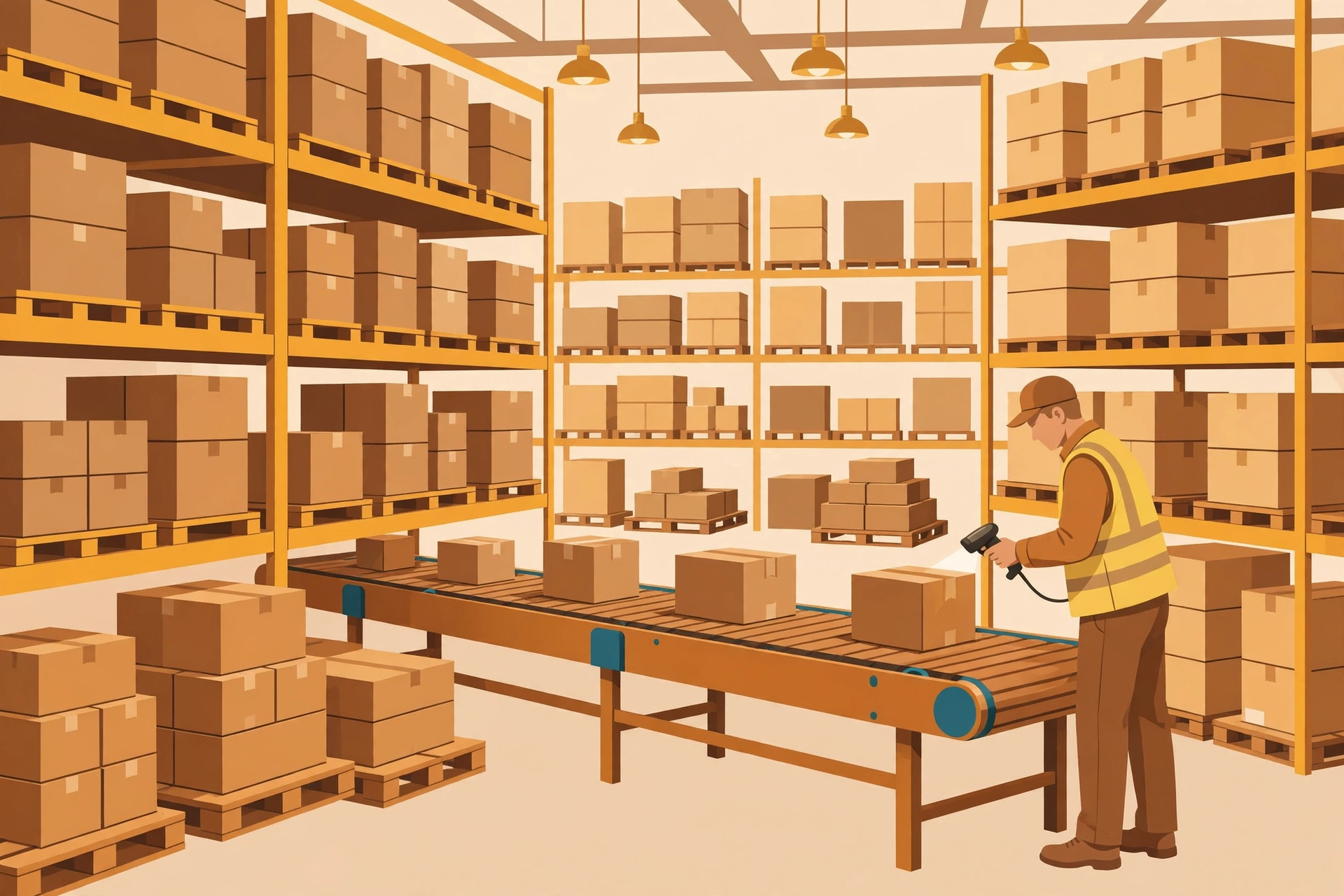
While inventory tracks stock value, warehouse management (WMS functionality) manages the physical reality of the facility: bin and shelf locations, barcode scanning, receiving and put-away workflows, picking and packing strategies, shipping, and even labor planning. It directs workers through the most efficient paths, enforces first-expired-first-out rules for perishable goods, and supports cycle counting so stock checks happen continuously instead of in one disruptive annual event.
For e-commerce and distribution businesses, the warehouse module is often the highest-ROI component of the whole ERP, because faster, more accurate fulfillment directly improves customer satisfaction and reduces labor cost per order.
6. Manufacturing (Production Planning)
Manufacturers get a rich module covering bills of material (BOM), material requirements planning (MRP), master production scheduling, work orders, shop floor reporting, routings, and quality management. MRP is the standout feature: given a production plan and current inventory, it calculates exactly which materials must be ordered, in what quantities, and by what date.
The manufacturing module ties engineering, purchasing, production, and finance together. A change to a product’s BOM ripples into purchasing requirements, production schedules, and product cost calculations automatically — something that is nearly impossible to coordinate accurately with spreadsheets.
7. Supply Chain Management (SCM)
Supply chain management sits above procurement, inventory, and warehouse as the orchestration layer. It covers demand planning, supplier collaboration, logistics and transportation tracking, landed cost calculations, and network-wide visibility. Where procurement focuses on buying well, SCM focuses on the entire flow of materials from supplier to customer.
Recent years have pushed this module to the forefront: companies that could see their supply chains in real time adapted far better to disruptions than those flying blind. Predictive features — such as flagging a supplier likely to deliver late based on historical patterns — are increasingly common thanks to AI being embedded in modern ERP platforms.
8. Customer Relationship Management (CRM)
The CRM module tracks the customer lifecycle: leads, opportunities, quotes, orders, support cases, and marketing campaigns. Because it shares the ERP database, it shows more than a standalone CRM ever could — a support agent sees the customer’s open invoices, shipment status, and payment history alongside their contact details.
Note that many companies also run a dedicated standalone CRM and integrate it with the ERP. Whether to use the ERP’s built-in CRM or a best-of-breed product is a classic decision: built-in means no integration work, while standalone may offer deeper sales features. For small and mid-sized businesses, the built-in module is often more than sufficient.

9. Human Resource Management (HRM / HCM)
The HR module — often called Human Capital Management (HCM) — manages employee records, organizational structure, recruitment, onboarding, time and attendance, payroll processing, benefits administration, and performance management. It connects workforce data to finance automatically: payroll runs post to the general ledger, and labor costs flow into project costing and manufacturing variances.
Because HR data is sensitive, the module’s role-based security matters enormously. A line manager can see their team’s attendance but not everyone’s salary; an HR administrator sees the reverse. The unified system enforces these rules consistently across every screen.
10. Project Management and Professional Services
Project-driven businesses — consultancies, agencies, construction firms, and IT services — rely on this module for project planning, task scheduling, time and expense tracking, resource allocation, milestone billing, and profitability analysis. It connects project work to finance so that a project’s true margin, including labor cost and overhead, is visible in real time rather than discovered at the end of the quarter.
Related functionality called Professional Services Automation (PSA) extends this with resource utilization tracking and contract billing, which matters deeply for firms whose product is billable hours.
How to Choose the Right ERP Modules for Your Business
One of the most common beginner mistakes is buying every module on day one. More modules mean more configuration, more training, and a longer, riskier implementation. Industry data consistently shows that implementations fail most often because of people and process issues — not the software itself — and an oversized scope magnifies every one of those risks.
Follow this practical sequence instead:
- Start with finance: as discussed, the financial module is the foundation. Implement it first and get the close process stable.
- Add your revenue engine next: for a distributor, that means inventory and order management; for a manufacturer, manufacturing and procurement; for a services firm, project management and CRM.
- Phase the rest: HR, marketing automation, and advanced analytics can usually wait until the core is running smoothly. More than a quarter of organizations now implement ERP in phases rather than all at once.
- Map processes before choosing modules: document how work actually flows through your company, then match modules to those flows. Companies that skip process mapping end up automating workarounds instead of fixing them.
- Prefer configuration over customization: changing settings is safe, supported, and upgrade-friendly; changing code is expensive and makes future updates painful. Over a third of ERP projects involve customization, and heavy customization is strongly associated with budget overruns.
Questions to ask in a software demo
- Which modules are included in the base price, and which are add-ons?
- Can we start with two or three modules and add more later without reimplementation?
- Show us one transaction — a sales order to cash — flowing across modules without manual steps.
- How does the module handle our specific compliance needs (tax rules, audit trails, industry regulations)?
- What does the mobile experience look like for warehouse and field workers?
ERP Modules vs. Standalone Software: Which Is Better?
Beginners often wonder whether to buy an ERP suite or simply connect several best-of-breed applications. There is no universal answer, but the trade-offs are clear.
Integrated ERP modules win on: a single source of truth, no integration maintenance between systems, one vendor relationship, consistent user interface, and built-in cross-module reporting. For a company whose processes are fairly standard, this is usually the simpler, cheaper long-term path.
Standalone best-of-breed software wins on: depth of functionality in a specialty area. A dedicated warehouse system may outperform an ERP’s warehouse module; a dedicated CRM may have richer marketing features. Companies choose this route when one function is so critical or specialized that the ERP’s version cannot keep up.
The hybrid approach is common: run core operations on ERP modules and integrate one or two best-of-breed systems where it genuinely matters. The key discipline is integration quality — every handoff between systems is a place where data can go stale or break. The more integrations you maintain, the more the maintenance burden resembles the patchwork ERP was meant to replace.
Common Beginner Mistakes When Evaluating ERP Modules
- Choosing modules for an imaginary future company: buy for the business you are, with room to grow — not the business you hope to be in ten years.
- Ignoring data migration: modules are only as good as the data inside them. Dirty, duplicated, or incomplete legacy data is one of the top three causes of ERP project failure. Budget real time for cleansing and validation.
- Underestimating change management: research consistently finds human factors matter far more than technical factors in ERP outcomes — some studies suggest up to six times more. Employees need training and a reason to embrace the new system.
- Skipping the process redesign: installing new modules on top of broken processes just makes broken processes run faster. Fix the workflow first, then automate it.
- No executive ownership: successful implementations almost always have visible leadership support. Without it, departmental politics stall decisions about shared processes and data.
Frequently Asked Questions
How many ERP modules are there?
Most modern ERP systems include around ten to fourteen core modules: finance, procurement, inventory, order management, warehouse, manufacturing, supply chain, CRM, HR, project management, e-commerce, business intelligence, marketing automation, and professional services. Vendors bundle them differently, so the count varies by product.
Which ERP module should be implemented first?
Finance and accounting. It centralizes financial control, supports compliance, and provides the reporting foundation that operational modules like inventory and manufacturing depend on.
Can you add ERP modules later?
Yes — that is one of the main advantages of modular ERP design. Most vendors let you start with core modules and activate additional ones as the business grows, without reimplementing the whole system.
Do small businesses need all ERP modules?
No. Small businesses typically start with finance, purchasing, and inventory or CRM, then expand. Starting lean reduces cost, shortens the implementation, and lowers risk.
What is the difference between an ERP module and an ERP system?
The ERP system is the whole platform; a module is one functional component of it, such as finance or HR. All modules of one system share a single database, which is what makes ERP different from a collection of separate applications.
Conclusion
Now that you have what are ERP modules explained for beginners in plain language, the concept should feel much less intimidating. An ERP module is simply one business function — finance, inventory, HR, or any other — running on a shared database so that every department works from the same real-time information. The modules work together through integration, you can start small and add more over time, and choosing wisely comes down to mapping your actual processes and phasing the rollout.
Whether you are evaluating your company’s first ERP or just trying to understand the software your employer uses, focus on the fundamentals: start with finance, buy modules for the business you are today, invest in clean data and change management, and prefer configuration over customization. Get those decisions right, and the modules will do what they were designed to do — turn scattered business processes into one coherent, efficient operation.