
Type a sentence — “a medieval castle on a cliff at sunset, painted in watercolor” — and seconds later, an AI image generator hands you a picture that looks like a real painting of a medieval castle on a cliff at sunset. There is no photo library behind the curtain, no stock-image lookup, no human artist holding the brush. What you are looking at is the output of a text-to-image AI model, one of the most visible and widely adopted applications of artificial intelligence in 2026. If you have ever wondered how AI image generators work, this guide walks through the entire process: the diffusion models at their core, the training data that teaches them, the language models that turn words into pictures, and the knobs and techniques that shape every image they produce.
This is a beginner-friendly explanation, but it goes deep. By the end you will understand not just the high-level idea but also the specific mechanisms — forward and reverse diffusion, latent space, text encoders like CLIP, seeds, and samplers — that make modern generators such as Midjourney, DALL·E, Stable Diffusion, and their open-source cousins possible. Along the way, you will also see where the technology is headed, what it is used for in business, and which limitations and ethical questions still surround it.
What Is an AI Image Generator?
An AI image generator is software that creates original digital images from a text description, a process called text-to-image generation. The images are genuinely new: they did not exist before your prompt created them, and no other person has seen them before you. The generator is a deep-learning model — a neural network trained on hundreds of millions or even billions of image-text pairs — that has learned the statistical relationship between words and visual appearance. “Sunset” has become linked to gradients of orange and pink; “futuristic” triggers chrome textures and angular geometry; “portrait of an elderly fisherman” connects faces, weathered skin, and maritime clothing into one coherent composition.
AI image generators come in several categories:
- Text-to-image generators: the most common type. You write a prompt, and the model generates a new image from scratch. Ideal for concept art, marketing visuals, illustrations, and mockups.
- Image-to-image generators: you supply a starting image plus a prompt, and the model transforms it — changing style, objects, or background while keeping the composition.
- Inpainting tools: you mask part of an existing image and give a prompt for what should appear in the masked area, letting you edit or repair specific regions.
- Outpainting tools: the model extends an image beyond its borders, imagining what lies outside the frame.
- Image upscalers and enhancers: diffusion-based tools that add detail and resolution to small or degraded images.
Most AI image generators built in the last several years are diffusion models, a class of generative models that create data by learning to reverse a noise-adding process. Understanding diffusion is the key to understanding how AI image generators work.
The Core Technology: How Diffusion Models Work
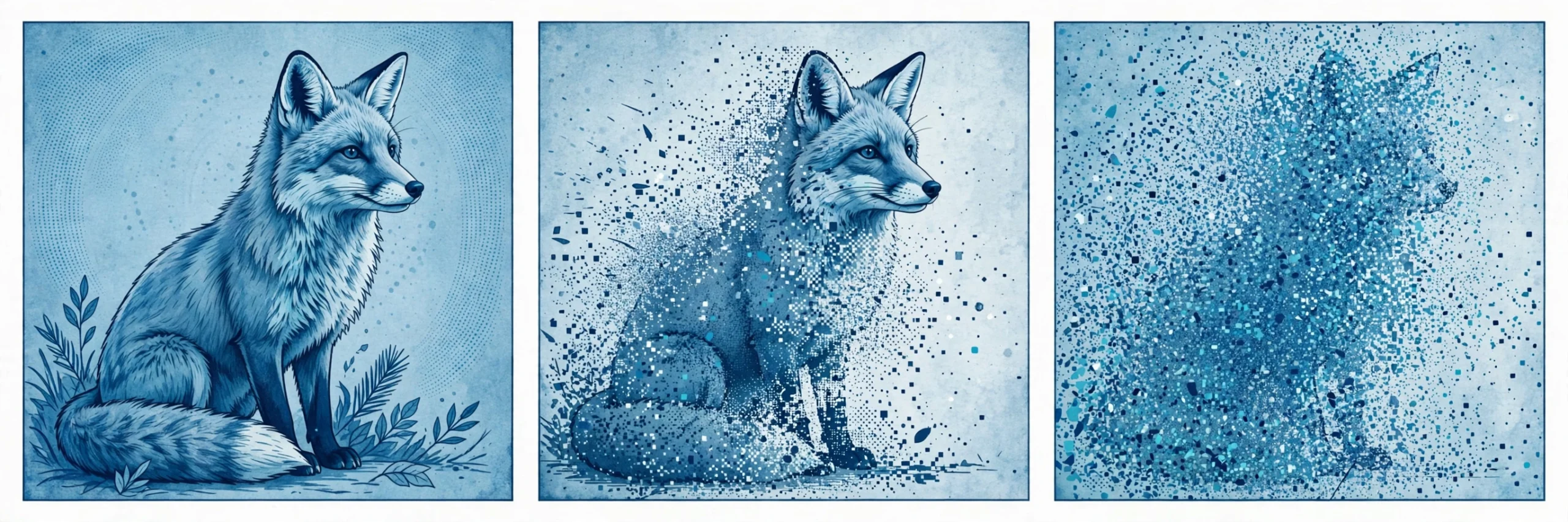
Diffusion models work in two conceptual phases. The first is a forward process that destroys images with noise; the second is a reverse process that learns to undo that destruction. Generation is the reverse process applied to pure noise.
Step 1: The Forward Process — Learning from Destroyed Images
During training, the model is shown a real image. A small amount of random Gaussian noise is added to it. Then a little more. Then a little more — hundreds or thousands of tiny steps, each one blurring the picture further. After enough steps, the image is indistinguishable from random static. This chain is fixed and known: at any point, you can say exactly how much noise has been added to the original.
Why destroy images to train a generator? Because the destruction creates the training signal. At every step, the model is asked a question it can actually check: “given this noisy image, what did the noise look like?” or “what was the slightly cleaner version one step earlier?” The true answers are known from the forward process, so the model gets feedback on every prediction and improves rapidly.
Step 2: The Reverse Process — Learning to Denoise
A neural network — often a U-Net architecture, a convolutional network with encoder and decoder paths — is trained to predict the noise that was added at each step. In effect, it learns the reverse transition: given a noisy image, produce a slightly less noisy one. Intuitively, the network absorbs a deep prior about what real images look like: edges are continuous, faces are symmetric, skies are usually above the horizon. That learned knowledge is what lets it fill in structure instead of just producing sharper noise.
Training runs over hundreds of millions of examples, so the denoiser encounters virtually every common visual pattern — fur, fabric, water, architecture, text — and learns to reconstruct each one from noise.
Step 3: Generation — Noise Becomes a Picture
Once trained, the model generates images by running the reverse process starting from pure random noise. It applies the learned denoiser for, say, 20 to 100 steps. Early steps establish the rough composition: blobs of color and rough shapes. Middle steps add forms, objects, and spatial relationships. Late steps add fine detail: textures, lighting, and crisp edges. What emerges is an image that never existed before, shaped by the random starting noise and the guidance it received along the way.
How Text Prompts Become Pictures: Text Conditioning
Diffusion alone can generate images, but not images that mean what you asked for. The bridge between language and pixels is text conditioning — the mechanism by which your prompt steers the denoising process toward the right outcome.
Text Encoders and Embeddings
When you type a prompt, a companion model called a text encoder converts your words into a numerical representation called an embedding. This is not a dictionary lookup; the embedding captures meaning. “A cozy cabin in the woods” and “a rustic log house among pine trees” produce similar embeddings even though the words differ, and both steer the generator toward similar images.
Many generators use encoders based on CLIP (Contrastive Language-Image Pretraining), which was trained on hundreds of millions of image-caption pairs from the internet. CLIP learned to map images and text into a shared space: a picture of a cat and the caption “a cat” land close together, while a picture of a bridge and the same caption land far apart. Newer models may use larger language models as encoders, but the principle is the same: language must be translated into numbers the diffusion model can understand.
Cross-Attention: How Guidance Steers the Denoising
The embedding guides generation through cross-attention layers inside the denoising network. At each denoising step, these layers let the network “look at” the prompt embedding and ask which words matter for which part of the image. The words “red scarf” influence the pixels around the character’s neck; “stormy sky” shapes the background. Because this steering happens at every step, the prompt acts like a continuous sculpting hand, not a one-time instruction.
Classifier-Free Guidance
One of the most important control knobs is guidance scale (sometimes called CFG scale). The model can denoise either with or without the prompt; guidance pushes the output toward the prompt-conditioned prediction and away from the unconditional one. A higher guidance value makes the image follow your prompt more literally — more detail, stronger style adherence — while a lower value lets the model be more creative and loose. Typical values range from around 7 for balanced results to much higher for strict adherence, though cranking it too high can oversaturate colors and produce artifacts.
Latent Diffusion: Why Modern Generators Are So Fast
The original diffusion models worked directly on pixels, which is computationally expensive: a 1024×1024 image contains over a million pixels, and running dozens of denoising steps across all of them takes serious time. Latent diffusion — the technique behind Stable Diffusion and most modern generators — solves this by compressing images into a smaller “latent space” first.
Here is how it works:
- An autoencoder compresses each training image into a latent representation — roughly a 4× to 8× smaller spatial grid that still captures all the essential visual information. Think of it as a highly efficient visual shorthand.
- Diffusion happens in that compressed space. The denoising network works on the compact latents rather than raw pixels, which makes each step dramatically cheaper.
- A decoder reconstructs the final image at the end, expanding the denoised latents back into full-resolution pixels and adding fine detail in the process.
This single architectural change made high-resolution generation fast enough for consumer hardware — the reason open-source models can run on a decent gaming GPU — and cut data-center inference costs for hosted services. It is one of the biggest reasons AI image generation went from a research curiosity to a mass-market product in just a couple of years.
Anatomy of a Generation: What Happens When You Hit “Generate”
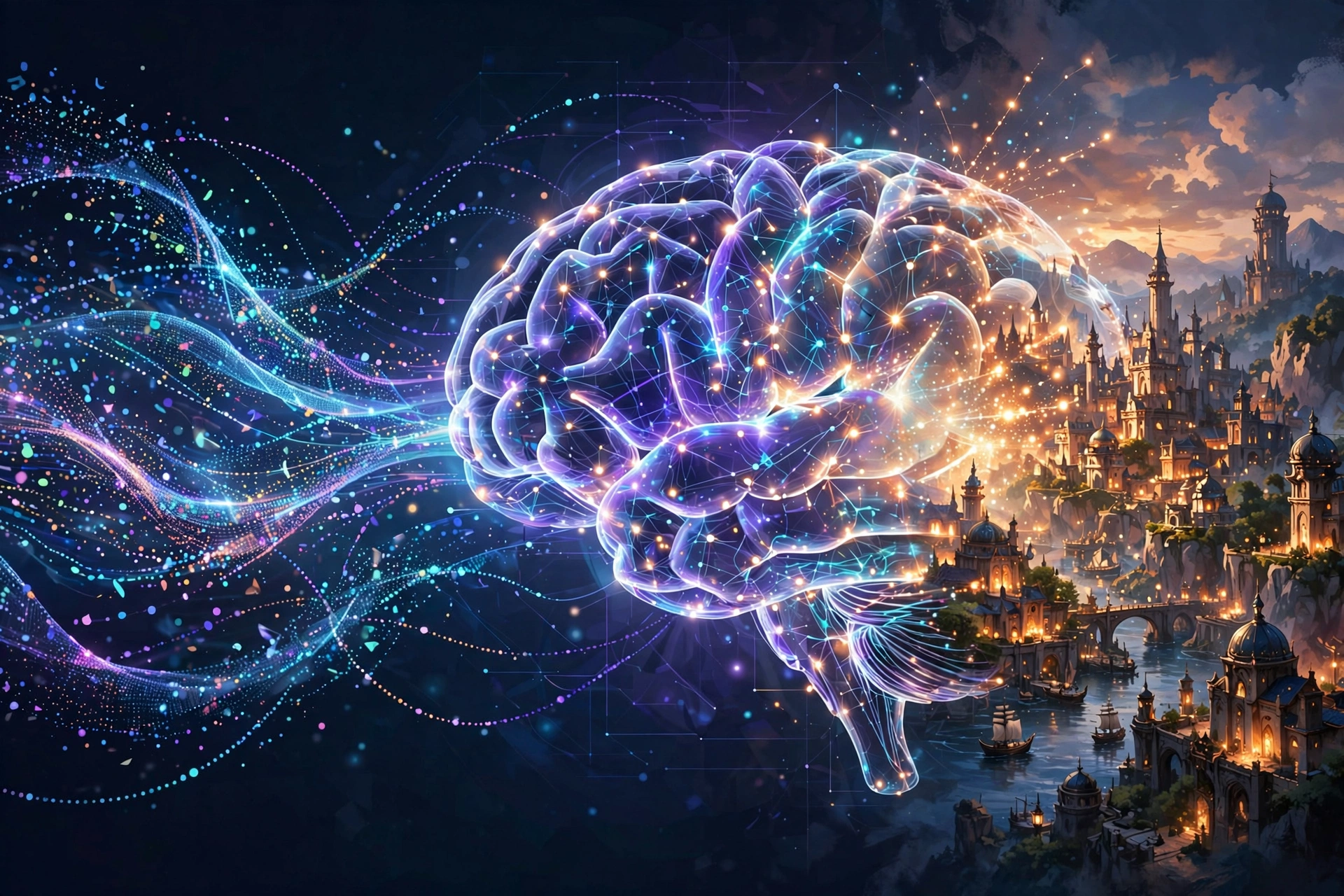
Putting all the pieces together, here is the complete journey of a single image from prompt to pixel:
- Prompt encoding: your text is tokenized and converted into embeddings by the text encoder.
- Noise initialization: the model creates a grid of pure random noise in latent space. This noise is controlled by a seed — a number that determines the starting point. Using the same seed and prompt reproduces the same image, which is invaluable for iteration: you can change one word and see exactly what it does.
- Iterative denoising: a sampler (an algorithm like DDPM, DDIM, or one of the newer fast samplers) runs the denoising network for a set number of steps — commonly 20 to 50. Each step removes a little noise while the cross-attention layers keep the prompt steering the result. Early steps form composition, later steps add detail.
- Latent decoding: the final denoised latents are passed through the decoder, which renders the full-resolution image.
- Post-processing: depending on the tool, the image may be upscaled, face-corrected, or passed through a safety filter.
Each generation typically produces several initial variants (often four), and many tools let you vary one of them, upscale it, or tweak the prompt and regenerate — a workflow that blends naturally into creative iteration.
The Main Types of AI Image Generation Models
Not all generators share the same architecture or trade-offs. Here is how the major families compare.
Diffusion Models (Dominant Today)
Diffusion models produce the highest quality text-to-image results available. They excel at photorealism, complex scenes, and fine detail. Most flagship services — Midjourney, DALL·E, and the Stable Diffusion ecosystem — are diffusion-based. Their weakness is speed: many sequential denoising steps are inherently slower than single-pass models, although fast samplers, distillation, and new “consistency” techniques keep shrinking generation time.
Autoregressive Models
Some image generators predict an image token-by-token, the way language models predict word-by-word. These models can share architecture with large language models, which makes them attractive for multimodal systems that handle text, images, audio, and video in one model. Recent industry data shows the whole field moving toward multimodality — one forecast cited in 2026 research expects the vast majority of enterprise software to be multimodal by 2030 — so autoregressive image generation is an area of intense development.
GANs (Generative Adversarial Networks)
GANs were the pioneers of AI image generation: two networks — a generator and a discriminator — trained in competition. GANs generate images in a single pass, making them extremely fast, and they still power many real-time applications like face filters and video synthesis. They have largely lost the quality crown to diffusion for text-to-image, but their speed keeps them relevant wherever latency matters.
Writing Better Prompts: Practical Techniques
Prompting is a skill, and small changes make a big difference. Here are techniques that consistently improve results:
- Be specific about the subject: “a red vintage motorcycle parked on cobblestones” beats “a motorcycle.” Include colors, materials, and setting.
- Describe style and medium: “oil painting,” “photorealistic,” “anime key visual,” “product photography on white background” — these are among the most powerful words in a prompt.
- Set composition and lighting: “wide-angle landscape,” “close-up portrait,” “golden hour lighting,” “dramatic side lighting” give the model spatial and photographic direction.
- Use negative prompts: most tools let you list what to avoid — “blurry, watermark, extra fingers” — which reduces common artifacts.
- Control aspect ratio: the canvas shape is part of the composition. Choose portrait for people, wide for landscapes.
- Iterate with seeds: fix the seed and change one element at a time so you can learn what each word contributes.
- Keep language natural: models understand descriptive sentences better than keyword salads; write like you are describing the image to a photographer.
Real-World Uses of AI Image Generators
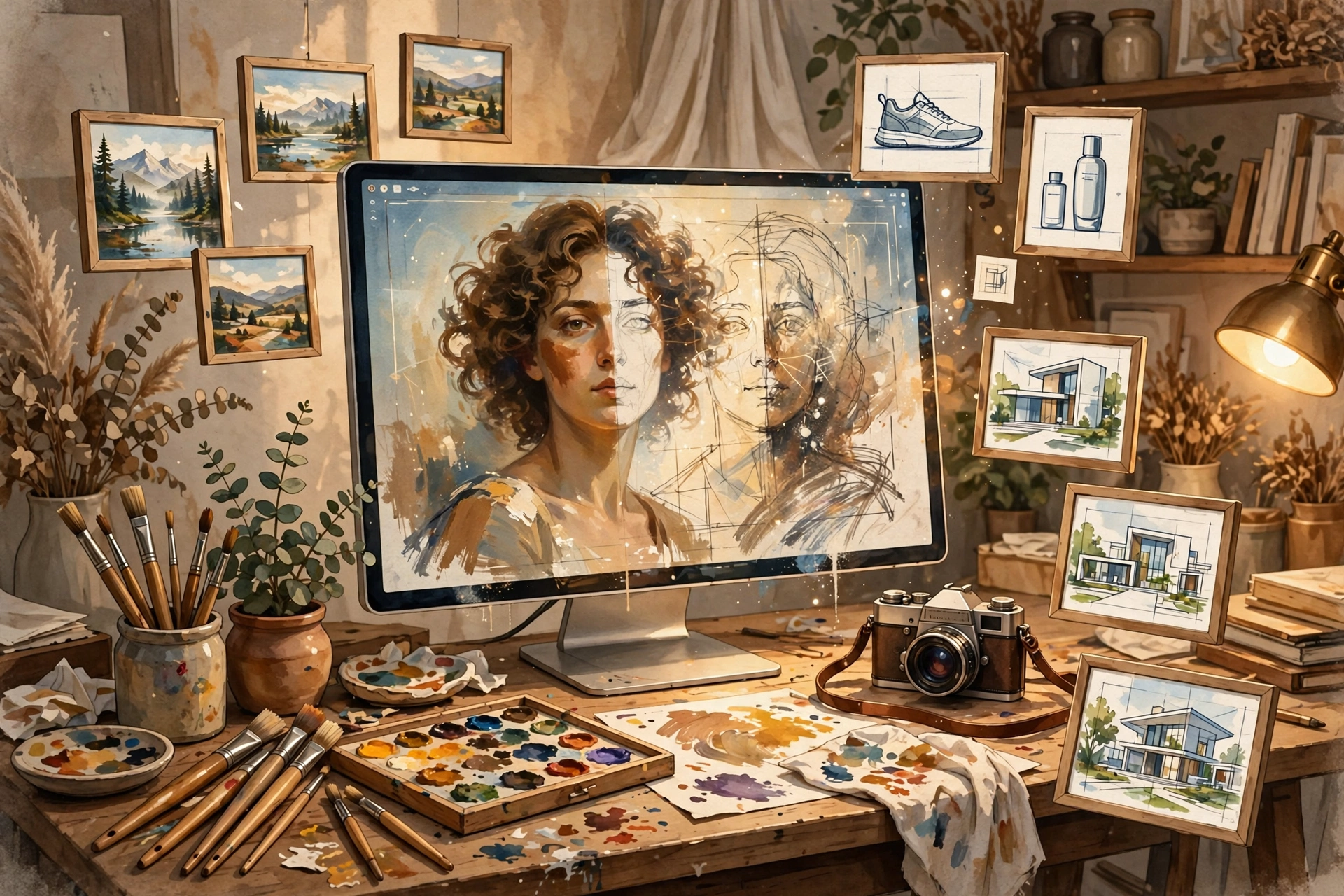
AI image generation has moved well beyond novelty. In 2026, it is embedded in professional workflows across industries:
- Marketing and advertising: teams produce campaign visuals, product shots, and social-media graphics in minutes, testing many creative variants cheaply before committing budget to photography.
- Concept art and game design: artists generate dozens of environment and character concepts in an afternoon, then refine the strongest ones by hand.
- Publishing and journalism: editors create custom illustrations and infographics instead of licensing stock photos.
- Product design and architecture: designers visualize packaging, interiors, and building concepts before CAD models or physical mockups exist.
- Education: teachers generate diagrams, historical scenes, and visual aids tailored to a lesson in seconds.
- Personal creativity: hobbyists illustrate stories, design tattoos, create album art, and mock up home renovations.
The economics are striking: the global market for AI training datasets alone reached several billion dollars by 2026, with image and video data representing a large share — a measure of how hungry image AI systems are for training material, and how much value businesses now place on visual generation.
Limitations: What AI Image Generators Still Get Wrong
Despite the astonishing quality, these systems have well-known failure modes worth understanding:
- Hands, fingers, and text: the classic artifacts. Because the model thinks in patterns rather than object understanding, it can draw six-fingered hands or gibberish text on signs. Each model generation gets better, but the problems are not fully solved.
- Spatial reasoning: “the cat is under the table, left of the chair” is harder than it sounds. Models learn correlations, not a true 3D world model, so precise relational instructions often fail.
- Consistency: generating the same character across multiple images remains difficult, though newer tools add character-reference features to address it.
- Prompt adherence limits: long, complex prompts may be partially ignored; models tend to weight some words more than others in ways users cannot always predict.
- Bias in training data: models reflect the images they were trained on. Underrepresented groups, professions, and regions can be stereotyped or rendered inaccurately — a limitation that starts with the dataset, not the user.
- Compute and energy cost: training and running large image models is energy-intensive; research published in 2026 notes that multimodal AI models consume energy at levels comparable to large language models.
Ethics, Copyright, and the Debate
Understanding how AI image generators work is incomplete without the surrounding controversy, because the training process itself is the subject of live legal and ethical debate:
- Training data and copyright: models are trained on images scraped from the web, including copyrighted work. Artists and rightsholders argue this is unlicensed copying; developers argue it is transformative learning analogous to a human studying art history. Courts and regulators in multiple jurisdictions are still working through the question.
- Deepfakes and misinformation: photorealistic generation can create convincing fake images of real people and events, a capability that raises serious concerns for news integrity and personal privacy.
- Artist livelihoods: freelance illustrators and stock photographers face direct competition from generators, while many artists also use the tools to amplify their own output.
- Disclosure norms: platforms and regulators are moving toward labeling requirements, watermarks, and content credentials so AI-generated images can be identified as such.
Responsible users treat these questions seriously: check commercial-use rights for the tool you use, avoid generating images of real people without consent, and disclose AI involvement where audiences would expect it.
The Future of AI Image Generation
The technology is still accelerating. Several trends are converging:
- Multimodal unification: text, image, audio, and video generation are merging into single models. A 2026 forecast puts multimodal capabilities in the vast majority of enterprise software by 2030, and image generation will be a native feature of these systems rather than a standalone tool.
- Real-time generation: distilled models and new sampling techniques are pushing generation toward real time, enabling live creative tools and interactive media.
- 3D and video synthesis: diffusion principles are extending to video clips, 3D models, and virtual environments, opening applications in gaming, film, and the metaverse.
- On-device generation: smaller, optimized models increasingly run on phones and laptops, bringing private, offline image generation to consumer devices.
- Better control: features like inpainting, character consistency, style transfer, and precise spatial control continue to close the gap between what users imagine and what the model delivers.
Conclusion
How do AI image generators work? At their core, they are diffusion models that learned to reverse a noise-destroying process across billions of examples, guided by text encoders that translate your words into numerical meaning. Latent diffusion made the process fast; cross-attention and guidance scale made it controllable; massive training data made it knowledgeable. The result is a tool that turns sentences into pictures in seconds — a capability that went from research paper to everyday creative instrument in only a few years.
Whether you use AI image generators for marketing mockups, concept art, teaching materials, or pure experimentation, understanding the machinery underneath helps you get better results: write specific prompts, tune guidance and seeds deliberately, and know where the model’s weaknesses lie. The technology will keep improving, but the fundamentals — noise, denoising, and language as a guide — are likely to remain the beating heart of AI image generation for years to come.
Frequently Asked Questions
How do AI image generators work in simple terms?
They start with random visual noise and gradually remove it, step by step, while a text prompt guides what appears. The model learned how to do this by training on billions of images, each repeatedly destroyed with noise and then reconstructed — so it knows how to turn noise into a picture that matches your description.
Do AI image generators copy existing images?
No — they generate new images from learned statistical patterns, not from a stored image library. However, they are trained on real images scraped from the web, which is the basis of ongoing copyright debates.
What is a diffusion model?
A diffusion model is a type of generative neural network that learns to reverse a process of adding noise to data. For images, it learns to denoise step by step, which allows it to generate entirely new images starting from pure noise.
What is a seed in AI image generation?
A seed is the number that determines the starting random noise. The same prompt and seed produce the same image, so seeds let you reproduce results and test how changing one word affects the output.
Can I use AI-generated images commercially?
It depends on the tool. Different services have different terms of service regarding commercial use, ownership, and disclosure. Always check the terms of the specific generator you use before using outputs in business contexts.