
Smart glasses have been “the next big thing” for more than a decade. Google Glass arrived in 2013, dazzled early adopters, and then quietly retreated into enterprise use. Snap tried again with Spectacles, and several startups followed. None of them cracked mainstream consumer adoption. The technology was ahead of the habits, and more importantly, the glasses looked like technology rather than something you would actually want to wear.
In 2026, something has genuinely shifted. AI smart glasses — ordinary-looking eyewear that combines cameras, microphones, speakers, and an AI assistant — have moved from novelty to practical tool. Global shipments of AI-powered glasses rose more than 260% year over year in the first half of 2026, according to industry estimates, and millions of pairs are now in everyday use. The category is no longer experimental.
This guide explains how AI smart glasses work, what the different types can actually do, where the technology still falls short, and whether a pair belongs on your face in 2026. Whether you are curious about the technology, considering a purchase, or trying to understand what millions of face-worn cameras mean for privacy, you will find the full picture here.
What AI Smart Glasses Actually Are
AI smart glasses are wearable computers presented as eyewear. They carry a camera, a microphone, speakers, and wireless connectivity inside a frame that looks and feels like a regular pair of glasses. Many models add an AI assistant that you talk to out loud, hands-free. More advanced models include a small display that projects information into your line of sight, layering digital context over the physical world without replacing it.
What separates smart glasses from a Bluetooth headset or a pair of earbuds is the camera. The camera creates a shared visual context between the wearer and the AI: you can point at something and ask what it is, request a translation of a sign, identify a plant, or get step-by-step instructions for the machine in front of you. That camera-plus-AI loop is the core utility of the current generation, and it is what makes smart glasses a meaningfully different product category instead of a head-worn phone accessory.
Smart glasses are also distinct from mixed reality headsets. Devices like Apple’s Vision Pro or Meta’s Quest line are spatial computing platforms designed for immersive extended reality workflows: they are powerful, heavy, and not built for all-day wear. Smart glasses prioritize the opposite end of the spectrum. The design constraint that governs the entire category is simple: will someone actually wear this all day in public? That question explains nearly every engineering trade-off in the hardware.

How AI Smart Glasses Work: The Core Technology
Understanding how AI smart glasses work starts with the pipeline that runs every time you tap a temple or say a wake phrase. The process has four stages: capture, connect, compute, and respond. Here is what happens at each step.
1. Capture: Cameras, Microphones, and Sensors
Most AI smart glasses carry one or two cameras embedded in the frame, usually at the corners of the front. When you trigger a capture — by pressing a button, tapping the temple, or giving a voice command — the camera records a photo or video of whatever you are looking at. Microphones, typically arranged in an array to separate your voice from background noise, capture your spoken commands and conversations.
Beyond cameras and microphones, smart glasses carry a suite of motion sensors: accelerometers, gyroscopes, and sometimes magnetometers. These let the glasses know when you nod your head, detect that you have put them on or taken them off, and stabilize audio for calls. Some models add proximity sensors so the device wakes when worn and sleeps when removed, which is essential for preserving battery life in such a small form factor.
2. Connect: The Phone Link
Here is the trade-off that the all-day-wearable constraint creates: the glasses themselves do very little thinking. AI inference mostly happens either in the cloud or on your paired smartphone rather than on the device, because running a powerful chip in the frame would require a bigger battery, more heat dissipation, and a bulkier design. Instead, smart glasses maintain a constant Bluetooth connection to your phone, which acts as the processing hub and the gateway to the internet.
Your phone’s companion app handles the heavy lifting: routing your voice and photos to AI services, fetching responses, and syncing captured media to your photo library. Some newer models are beginning to push limited on-device processing for simple tasks — a move driven partly by privacy arguments, since sensitive data never leaves the frame — but the phone-linked architecture remains the standard in 2026.
3. Compute: The AI Pipeline
When you ask your glasses a question, the system follows a predictable pipeline:
- Speech recognition converts your spoken words into text using automatic speech recognition models.
- Vision analysis runs your photo or video feed through computer vision models that can identify objects, read text, translate languages, and describe scenes.
- Reasoning combines the text of your question with the visual context to generate an answer using a large language model.
- Speech synthesis converts the answer back into audio, often using a voice tuned to sound natural through the glasses’ speakers.
This whole loop — ask, see, think, answer — typically takes a few seconds over a good connection. The experience feels like talking to an assistant who can see what you see, which is exactly the product pitch.
4. Respond: Speakers and Displays
Open-ear speakers built into the temples deliver audio without blocking your ears. They use directional sound so that people nearby hear very little of what you hear — a privacy-friendly alternative to earbuds that also keeps you aware of your surroundings. For calls, music, and podcast listening, this works surprisingly well in everyday settings, though bass response remains limited by physics.
On display-equipped models, a small projector — often using microLED or LCoS (liquid crystal on silicon) technology — beams information onto the inside of the lens, creating a private heads-up display visible only to you. Current displays are intentionally kept small: they show captions, translations, navigation arrows, and short messages rather than full apps. Keeping the display modest saves weight and battery, which matters enormously when the device sits on your nose all day.
The Three Types of Smart Glasses in 2026
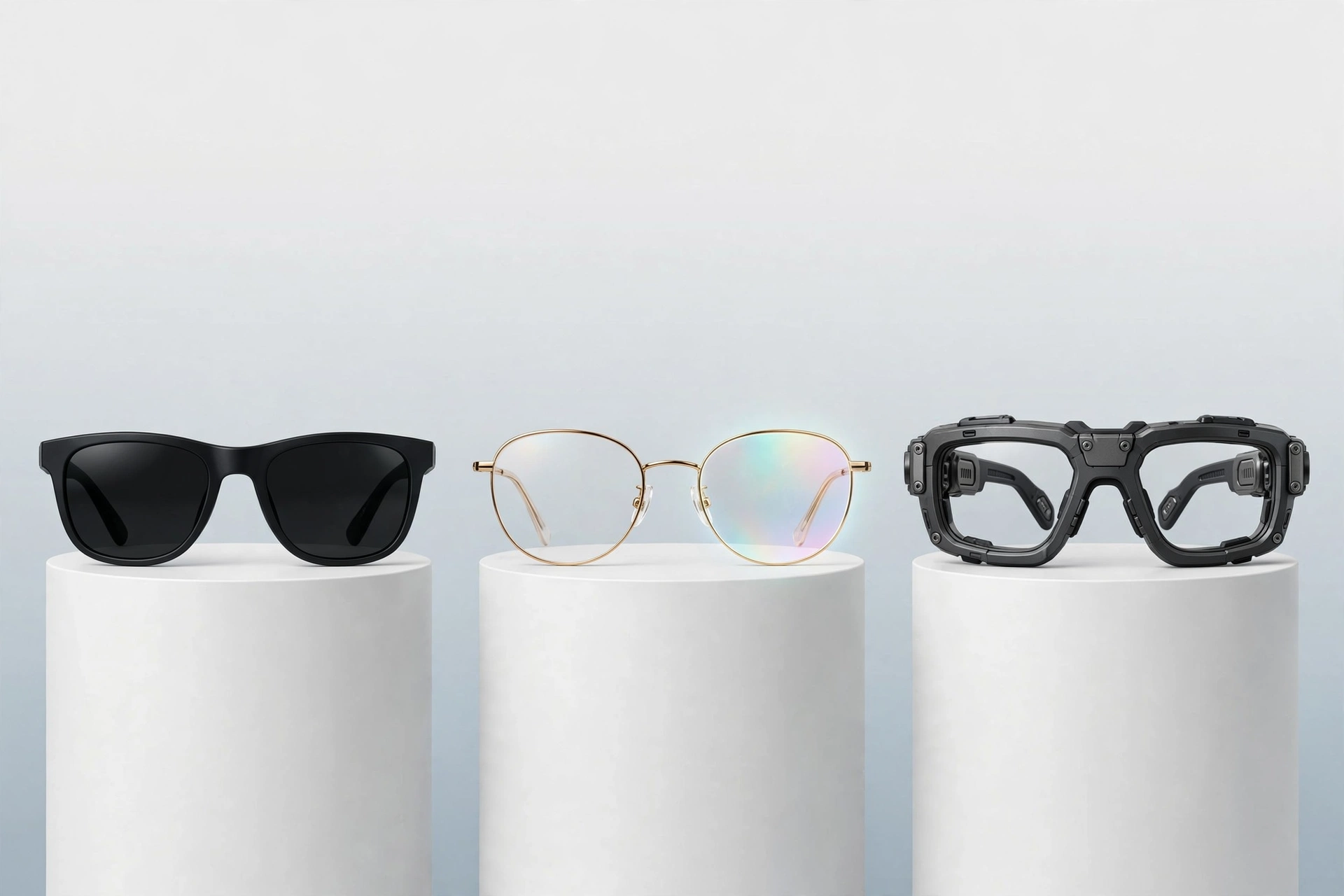
The smart glasses market has split into distinct segments rather than one catch-all category. Understanding the three types is the fastest way to figure out which product, if any, matches your needs.
Type 1: AI-First, Screenless Glasses
These are the volume leaders — and by a wide margin. Screenless AI glasses account for roughly 96% of smart glasses shipments, with Meta’s Ray-Ban collaboration holding a dominant share of that segment. They look exactly like normal sunglasses or prescription glasses but add a camera, microphones, speakers, and an AI assistant. There is no display at all.
What they do well: hands-free photography and video, open-ear audio for calls and music, and AI questions about what you are seeing. They are socially low-friction because they look like ordinary eyewear, and they are the most affordable entry point, typically starting around $299. What they cannot do: show you anything visual. Every answer comes through your ears.
Type 2: Display Glasses
These add a heads-up display to the AI glasses formula. Meta’s Ray-Ban Display, priced around $799, projects captions, translations, and notifications into your field of view. Devices like the XReal 1S and TCL’s RayNeo models lean toward a “personal theatre” experience — large virtual screens for watching video — competing more with portable monitors than with full augmented reality.
Display glasses are growing fast but from a small base: AR glass shipments surged roughly 450% year over year, with companies like Rokid leading the segment. The trade-offs are real, though. Displays add cost, weight, and battery drain, and the visual experience is still closer to a floating notification panel than to true augmented reality. This is the category to watch for future growth, but in 2026 it remains an enthusiast purchase.
Type 3: Enterprise and Specialized Glasses
A separate ecosystem of smart glasses serves industrial and professional users: warehouse logistics, field service, remote expert assistance, and healthcare. These prioritize durability, specialized software integrations, and features like thermal imaging or barcode scanning over fashion. They rarely appear in consumer marketing, but they represent some of the most economically productive uses of the technology — a technician guided by a remote expert who sees exactly what the technician sees can resolve problems dramatically faster than one working from a phone call alone.
What You Can Actually Do With AI Smart Glasses
Marketing promises aside, here is what the current generation of AI smart glasses genuinely does well in daily life:
- Hands-free capture: Take photos and videos from your exact point of view without reaching for a phone — useful for parents, travelers, cyclists, and anyone whose hands are occupied.
- Live translation: Look at a foreign-language sign or menu and hear the translation read aloud. For travelers, this single feature can justify the purchase.
- Visual questions: Point at a plant, a landmark, a product, or a piece of equipment and ask what it is, how much it costs, or how to use it.
- Memory assistance: An emerging use case: capture moments from your day and convert them into searchable summaries, reminders, and action items.
- Accessibility: Real-time captions for people with hearing loss, scene description for people with low vision, and hands-free calling for people with limited mobility.
- Open-ear audio: Listen to music, podcasts, and calls while staying aware of traffic, conversations, and your surroundings.
- Navigation prompts: Turn-by-turn directions delivered as audio (or arrows on display models) without staring at a phone screen while walking.
And here is what they still do poorly: battery life remains a hard ceiling — most models offer a few hours of active use before needing the charging case. Low-light photography is mediocre compared to a modern phone. Voice assistants still misunderstand accents and noisy environments. And anything requiring a rich visual interface, from maps to spreadsheets, is simply not a glasses task yet.
The Privacy Problem Nobody Has Solved
No honest guide to how AI smart glasses work can skip the privacy question, because it is the single biggest obstacle between today’s early adoption and true mainstream acceptance. The core tension is straightforward: the camera that makes the glasses useful is the same camera that makes bystanders nervous.
Recording Indicators and Their Limits
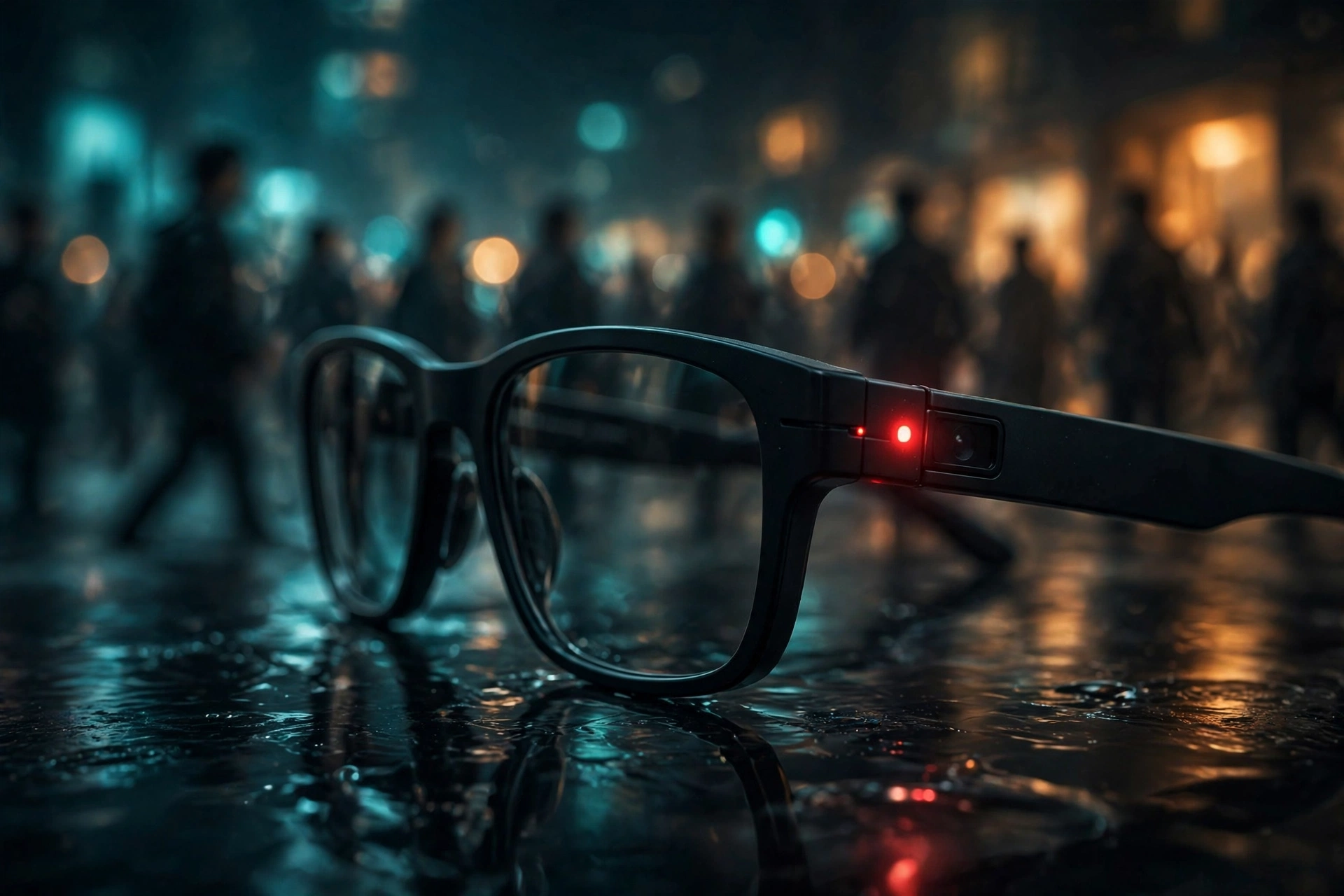
Most smart glasses include a small LED that lights up when the camera is recording — the industry’s standard answer to the “are you filming me?” question. But the indicator is only as trustworthy as its enforcement. In 2026, Meta faced criticism after a flaw reportedly allowed users to disable the recording light after beginning to record, and privacy researchers have repeatedly demonstrated that a tiny LED on ordinary-looking eyewear does little to inform people in a crowded room.
The deeper issue is social, not technical. Surveys and countless viral confrontations suggest that most people do not expect to be recorded by someone whose glasses look like normal eyewear. That expectation gap — between what the technology enables and what social norms permit — is where the friction lives.
Data: Where Your Footage Goes
When your glasses capture a photo or video, that data typically travels to your phone and then to cloud servers for AI processing and storage. That means a third party’s face, license plate, or private moment can end up processed by AI systems and stored on servers the bystander never consented to. Some manufacturers have moved toward more on-device processing specifically to blunt this criticism — if the analysis happens on the glasses and nothing is uploaded, the privacy footprint shrinks considerably. But cloud processing remains the default for the most capable AI features.
What This Means for You as a Wearer
If you buy smart glasses in 2026, you inherit a social responsibility along with the hardware. Practical etiquette that early adopters recommend:
- Announce when you are recording in social settings, even though the LED is supposed to do that job.
- Do not wear camera glasses in locker rooms, restrooms, schools, or workplaces with recording policies — and check local laws, which vary widely.
- Review and delete captured media regularly rather than letting it accumulate in the cloud.
- Use the privacy settings in the companion app: disable automatic uploads and limit what the AI retains.
Regulators are paying attention too. Lawsuits filed in 2026 over footage review practices and growing legislative interest in face-worn cameras suggest that the rules governing these devices are still being written. Buying into the category now means buying into that uncertainty.
Smart Glasses vs. VR and AR Headsets
People often lump smart glasses together with virtual and augmented reality headsets, but they are designed for opposite jobs. A quick comparison makes the distinction clear:
- Form factor: Smart glasses weigh 30–50 grams and look like eyewear; VR headsets weigh 400–600+ grams and cover your face.
- Immersion: Headsets replace or heavily augment your vision; smart glasses add a thin layer of assistance to the real world.
- Wear time: Glasses are built for all-day wear; headsets are typically worn in sessions of minutes to a couple of hours.
- Social acceptability: Glasses can pass as fashion; headsets announce “I am in another world.”
- Primary input: Glasses use voice and subtle taps; headsets use hand tracking and controllers.
- Price: AI glasses start around $299; premium headsets run $500–$3,500.
Think of it this way: headsets are destinations you visit; smart glasses are companions that travel with you. The two categories will likely converge over the next decade, but in 2026 they serve different needs.
Should You Buy AI Smart Glasses in 2026?
After all the explanation, the practical question remains. Here is an honest framework for deciding.
You might love them if:
- You travel internationally and would use live translation regularly.
- You have young kids or an active lifestyle and want hands-free photo capture.
- You listen to podcasts, music, or calls for hours and want open-ear audio.
- You have a hearing or vision impairment that captions or scene description could help with.
- You enjoy being early to new technology and accept first-generation rough edges.
You should probably wait if:
- You expect all-day battery life with heavy camera use — it is not there yet.
- You want true augmented reality with rich visual overlays — display models are still closer to floating notifications.
- You are uncomfortable with the social dynamics of wearing a camera on your face.
- You need prescription lenses with advanced features — support is improving but still limited on some models.
- You prefer mature ecosystems with years of software refinement.
What to look for when comparing models
- Camera quality: Check real-world samples, especially in low light, not just megapixel counts.
- Battery reality: Look at tested active-use time, not standby claims; the charging case is part of the product.
- AI capabilities: Test the assistant with your accent, in noise, and in your language — performance varies enormously.
- Recording indicator: Prefer models with prominent, non-disableable capture lights.
- Privacy controls: Look for on-device processing options and granular cloud-upload settings.
- Comfort and style: You will only wear glasses you actually like — try them on before committing.
- Ecosystem: Consider how well the glasses integrate with your phone, your photo library, and the AI services you already use.
The Road Ahead: Where Smart Glasses Go Next
The trajectory from here is fairly clear, even if the timeline is not. Three developments will determine whether smart glasses become as ordinary as smartphones or stall as a niche accessory.
First, displays will get better and cheaper. MicroLED technology and new optical designs — like the award-winning approaches shown at recent technology exhibitions — are steadily shrinking the size and cost of projecting information onto lenses. When a display adds almost no weight or cost, screenless glasses stop making sense.
Second, AI will move increasingly on-device. Running vision and language models locally eliminates the latency of cloud round-trips, works without connectivity, and dramatically improves the privacy story. Chip efficiency gains are making this feasible year by year.
Third, social norms and regulation will catch up. Every transformative camera technology — from the Kodak Brownie to the smartphone — went through a period of social panic before norms settled. Smart glasses are in that awkward adolescence now. Clearer rules about recording indicators, consent, and data retention will eventually make the social contract explicit, and that clarity will unlock the enterprise and education markets that are currently holding back.
Most analysts place full convergence — glasses that are genuinely useful, socially accepted, and affordable — in the late 2020s to early 2030s window. The devices you can buy in 2026 are the rough draft of that future: genuinely useful for specific people and tasks, genuinely limited in ways that matter, and genuinely worth understanding before you buy.
Conclusion
AI smart glasses work by combining a wearable camera and microphone array with a smartphone-linked AI pipeline: capture what you see, send it to AI models that understand both images and speech, and deliver the answer through open-ear speakers or a tiny heads-up display. The engineering is a constant negotiation with physics — every gram, every milliwatt, and every millimeter matters when the computer sits on your nose.
In 2026, the technology has crossed an important threshold. Shipments are growing at triple-digit rates, the products look like glasses people actually want to wear, and the AI behind them is capable enough to be genuinely useful for translation, capture, accessibility, and everyday questions. At the same time, battery life is still short, displays are still rudimentary, and the privacy questions are still unresolved.
Whether that balance works for you depends on what you need. For travelers, parents, accessibility users, and the technology-curious, today’s AI smart glasses are already worth a serious look. For everyone else, they are worth watching — because the decade ahead will almost certainly put some version of this technology on a large fraction of the world’s faces.
Frequently Asked Questions
How do AI smart glasses work without a screen?
Screenless AI smart glasses rely on open-ear speakers and microphones. You speak commands, the glasses capture photos or video of what you are looking at, AI models process the request via your paired phone, and the answer is spoken back to you. The camera provides the visual context that makes the AI genuinely useful.
Do smart glasses record all the time?
No. Current consumer smart glasses only record when you trigger them — with a button press, tap, or voice command. They do not continuously record video in the background. However, microphones may listen for wake phrases, similar to smart speakers, which is worth knowing when evaluating privacy.
Can other people tell if you are recording with smart glasses?
Most models include a small LED recording indicator, but it is subtle by design. In practice, bystanders often cannot tell. This is the central privacy controversy of the category: the indicator exists, but social awareness of it is low, and some implementations have proven possible to circumvent.
How long does the battery last on AI smart glasses?
Typical models offer several hours of mixed use and up to a day of light use with the help of a charging case that tops them up between wears. Heavy camera or AI use drains the battery much faster — often within a few hours. Always check tested battery figures rather than marketing claims.
Are AI smart glasses worth buying in 2026?
They are worth buying if you have a specific use case — travel translation, hands-free capture, accessibility needs, or open-ear audio — and you are comfortable with first-generation limitations and the social dynamics of face-worn cameras. If you want mature, all-day augmented reality, waiting a few more years is the wiser move.