
How Peer-to-Peer File Sharing Works: The Complete Guide to P2P Networks (2026)
When you download a file from a typical website, your computer talks to one central server, which hands over the whole file. But peer-to-peer (P2P) file sharing flips that model on its head: instead of pulling data from a single server, your computer connects directly to other users’ computers around the world, and everyone shares pieces of the file with each other. This decentralized approach powers some of the most efficient data-distribution systems ever built — and understanding how peer-to-peer file sharing works is essential for anyone who wants to grasp modern networking, from the legendary BitTorrent protocol to the decentralized web.
In this guide, we’ll break down the mechanics of P2P file sharing step by step, explore the different network architectures, look at real-world applications beyond media downloads, and cover the security risks you need to know. Whether you’re a student, a developer, or just curious about how the internet really works, this article gives you a complete, plain-English education on peer-to-peer technology.
What Is Peer-to-Peer File Sharing?
Peer-to-peer file sharing is a method of distributing files across the internet in which each participating device — called a peer — acts as both a client and a server at the same time. When you download a file through a P2P network, you receive pieces of it from other peers who already have those pieces. As those pieces arrive, your own computer can immediately start uploading them to other peers who need them.
This is fundamentally different from the traditional client-server model. On a normal website download, the server bears the full cost of distributing the file: if 100,000 people want a 1 GB file, the server must send out 100,000 GB of data. In a P2P network, that burden is distributed across every participant. The more people who join, the more bandwidth becomes available — which means P2P networks actually get faster and more resilient as they grow, the exact opposite of centralized servers, which slow down under heavy load.
Key characteristics of P2P file sharing include:
- No central server — or only a minimal coordination role for one — which removes single points of failure.
- Distributed bandwidth — every downloader contributes upload capacity, so capacity scales with demand.
- Resilience — if one peer goes offline, the file remains available from dozens or thousands of others.
- Direct peer connections — data travels from computer to computer rather than through a central repository.
How Peer-to-Peer File Sharing Works: The Step-by-Step Process
To understand how peer-to-peer file sharing works in practice, let’s walk through what happens when you download a file using a modern P2P protocol like BitTorrent.
1. Finding the File: Peer Discovery
Your journey begins with a tiny descriptor file — in BitTorrent’s case, a torrent file (or a magnet link). This file doesn’t contain the actual content; it contains metadata: the file name, its total size, and cryptographic fingerprints of each piece (more on that below). The torrent file also tells your P2P software where to find other peers that have the file.
Peer discovery typically happens through one of three mechanisms:
- Trackers: A tracker is a lightweight server that keeps a list of which peers are currently sharing which files. Your software asks the tracker, “Who has this file?” and gets back a list of IP addresses and ports. The tracker never stores the file itself — it’s more like a phone directory. This was the original BitTorrent approach.
- Distributed Hash Tables (DHT): A DHT spreads the “phone directory” across all peers, so no central tracker is needed at all. Each peer stores a small slice of the directory and helps answer lookup queries. This makes the network fully decentralized and much harder to shut down.
- Peer Exchange (PEX): Once connected to a few peers, your software can ask them for their own peer lists, discovering more sources organically. PEX and DHT together make “trackerless” torrents possible.
2. Downloading in Pieces: Chunking and Swarming
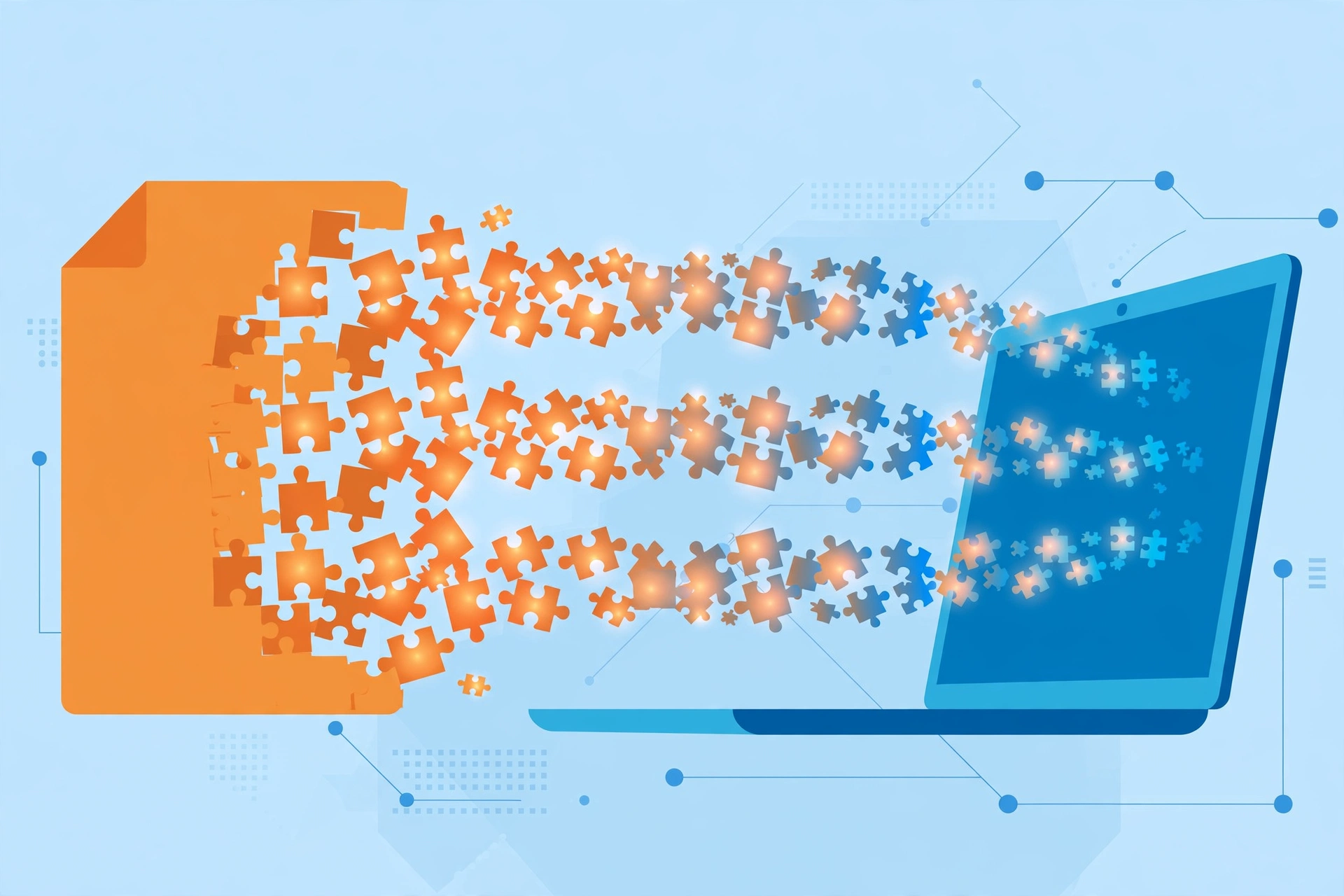
Here’s the clever part. In traditional downloads, you grab the file as one continuous stream from a server. In P2P file sharing, the file is split into many small pieces — typically between 256 KB and several MB each. Your software downloads different pieces from different peers simultaneously.
This group of peers sharing the same file is called a swarm. Within a swarm, each peer has a different subset of the pieces, and sophisticated algorithms decide which piece to request from whom. BitTorrent’s “rarest first” strategy prioritizes pieces that few peers have, which keeps the file’s availability balanced across the swarm and prevents a situation where everyone has the same 90% of the file and nobody has the missing 10%.
Because pieces arrive out of order from many sources at once, your software keeps a map of what you have and what you still need, filling in the gaps as fast as your connection allows. This parallel downloading is why a popular torrent can download at the full speed of your internet connection even though no single peer is uploading anywhere near that fast.
3. Verifying Integrity: Hashing
When you receive file pieces from strangers’ computers, how do you know they haven’t been tampered with? The answer is cryptographic hashing. The torrent file includes a unique hash (a digital fingerprint) for every piece of the file. As each piece arrives, your software computes its hash and compares it to the expected value.
- If the hash matches, the piece is accepted and made available for upload to others.
- If the hash doesn’t match — because of corruption or a malicious peer — the piece is rejected and re-downloaded from someone else.
This per-piece verification means P2P networks are remarkably resistant to corrupted or fake data. It also explains why the swarm collectively “cleans” bad pieces: peers quickly learn to stop trusting sources that send invalid data.
4. Giving Back: Seeding and Leeching
In P2P terminology, a peer that is still downloading (and typically uploading at the same time) is sometimes called a leecher, while a peer that has the complete file and is sharing it with others is called a seed. Good etiquette — and in many communities, enforced rules — says that after you finish downloading, you should keep your software running so you become a seed.
Seeds are the lifeblood of a P2P network. A file with many seeds downloads quickly and stays available for years; a file with zero seeds is effectively dead. Many private file-sharing communities track each member’s share ratio (uploaded data divided by downloaded data) and require users to maintain a minimum ratio, which creates a self-sustaining economy of sharing.
The Three Main Types of P2P Network Architecture
Not all P2P networks are built the same way. Computer scientists generally classify them into three architectural families:
Centralized P2P Networks
The original Napster (launched in 1999) pioneered peer-to-peer music sharing but used a centralized directory server: peers told the central server what files they had, searches went through the server, and then the actual file transfer happened directly between peers. This hybrid design made Napster fast and easy to use, but the central server was a fatal single point of failure — when legal pressure shut it down in 2001, the entire network collapsed. Centralized architectures also struggle with server load and don’t scale well.
Decentralized (Unstructured) P2P Networks
Gnutella (the protocol behind early-2000s clients like LimeWire) took the opposite approach: no central server at all. Each peer connected to a handful of neighboring peers, and search queries flooded outward hop by hop through the network. This made Gnutella nearly impossible to shut down, but flooding queries generated enormous network overhead, and searches were slow and unreliable — you could only find files held by peers within your reachable “neighborhood” of the network.
Hybrid P2P Networks
Modern systems blend the best of both worlds. BitTorrent uses centralized trackers (or decentralized DHT) only for peer discovery — the heavy lifting of data transfer is fully peer-to-peer. Later innovations like supernodes (used by the original Skype) designate some well-connected peers as directory helpers. These hybrid designs balance efficiency with resilience, and they’re why BitTorrent remains the most successful P2P file-sharing protocol ever built.
How BitTorrent Became the Gold Standard
BitTorrent, created by Bram Cohen in 2001, solved the core problems of earlier P2P systems with several innovations that remain influential:
- Piece-based swarming — downloading many pieces in parallel from many peers, which maximizes speed and keeps availability balanced.
- Tit-for-tat choking — peers preferentially upload to the peers that upload to them, which discourages “leeching” (downloading without sharing) and rewards contribution.
- Rarest-first piece selection — requesting the least-available pieces first, which keeps the swarm healthy and prevents bottlenecks.
- Decentralized discovery via DHT and magnet links — eliminating the need for trackers or torrent files hosted on websites, making the system censorship-resistant.
At its peak, BitTorrent traffic accounted for a substantial share of all internet bandwidth, and it remains the technology of choice for distributing huge files — Linux distributions, game updates, and large datasets — because it costs the publisher almost nothing in bandwidth. The publisher only needs to seed the file briefly; the swarm takes over from there.
Modern Applications of P2P Beyond File Downloads
Peer-to-peer technology long ago escaped its file-sharing origins. Here are some of the most important modern applications:
Blockchain and Cryptocurrencies
Cryptocurrencies like Bitcoin run on P2P networks: thousands of nodes around the world maintain a shared ledger (the blockchain) by exchanging transaction and block data directly with each other, with no central authority. The same decentralization principles that made P2P file sharing resilient also make blockchains resistant to censorship and single points of failure.
The InterPlanetary File System (IPFS)
IPFS is a peer-to-peer protocol for storing and sharing files in a distributed file system. Instead of addressing files by where they are (a URL pointing to a server), IPFS addresses files by what they are — a cryptographic hash of their content. Anyone on the network can serve a file, and the hash guarantees you got exactly the right data. IPFS is a building block of the “decentralized web” movement, aiming to make content permanent and censorship-resistant.

Content Delivery Networks
Some modern content delivery networks (CDNs) incorporate P2P principles to make video streaming and software delivery cheaper and faster. For example, P2P-assisted streaming lets viewers of a live broadcast share video chunks with each other, reducing the load on the broadcaster’s servers during massive events. Blizzard Entertainment famously used P2P technology to distribute game updates to millions of players efficiently.
Real-Time Communication
The original version of Skype used a P2P architecture in which ordinary users’ computers acted as “supernodes” that relayed calls and helped route connections. While most modern calling apps have moved to centralized cloud servers, the P2P heritage lives on in WebRTC, the browser technology behind video calls, which can establish direct peer-to-peer media connections between browsers.
Peer-to-Peer File Sharing vs. Client-Server vs. Cloud Sharing
To put P2P in context, here’s how the three major file-distribution models compare:
- Client-server downloads: Simple and fast for the user, but the server pays all bandwidth costs and becomes a single point of failure. Great for websites; expensive for distributing huge files to millions of people.
- Cloud file sharing (Google Drive, Dropbox, OneDrive): Convenient, synced across devices, with access controls and version history. But storage and bandwidth are metered and paid for, and your files live on someone else’s servers — subject to their policies, outages, and security practices.
- Peer-to-peer sharing: Free, massively scalable distribution with no central bottleneck. But there’s no access control by default, no guarantee of availability (files die when seeders vanish), and your IP address is visible to the swarm — which brings us to the risks.
For businesses, these differences matter enormously. A company distributing a 50 GB software update to a million customers would pay a fortune in cloud bandwidth; a P2P-assisted distribution system can cut those costs dramatically. Conversely, a business sharing sensitive internal documents needs the access controls and audit trails that cloud platforms provide — which is why managed file transfer (MFT) solutions exist for enterprise-grade secure sharing.
P2P File Sharing Security Risks and How to Stay Safe
Peer-to-peer file sharing is powerful, but it comes with genuine risks that every user should understand:
Malware and Fake Files
Because anyone can share anything on open P2P networks, malicious actors distribute malware disguised as popular files — cracked software, movies, and games are classic bait. While piece hashing protects against corrupted data, it can’t tell you whether the original file was malicious. Always scan downloads with reputable antivirus software, be skeptical of executables from P2P sources, and check community comments and ratings before downloading.
Privacy Exposure: Your IP Address Is Visible
To exchange pieces with peers, your software must reveal your IP address to the entire swarm. That means anyone monitoring a torrent — copyright enforcement firms, researchers, or attackers — can see that your IP address is participating. This is fundamentally different from browsing a website over HTTPS, where only the site operator sees your IP. Many P2P users route their traffic through a VPN to mask their real IP address, and some clients support blocklists of known monitoring IPs.
Copyright and Legal Risks
Sharing copyrighted material without permission is illegal in most countries, and P2P networks are one of the most heavily monitored environments on the internet. Copyright holders and their agents routinely join swarms, log the IP addresses of uploaders, and send infringement notices to internet providers. The legal risk applies mainly to copyrighted content — sharing open-source software, public-domain works, and Creative Commons media via P2P is perfectly legal and widely encouraged.
Lessons from Real-World File-Sharing Breaches
The risks of poorly secured file-sharing systems were underscored by major 2026 incidents. In September 2026, the Pentagon’s Defense Manpower Data Center began notifying approximately 3.05 million people after unauthorized users exploited a vulnerability in a file-sharing system to access unencrypted personnel records — including Social Security numbers — over a period of roughly nine months before the flaw was patched in July 2026. That same month, the image-sharing service Gyazo confirmed that attackers exploited a server vulnerability to steal around 23.6 million user records, including names, email addresses, hashed passwords, and integration tokens for connected accounts.
These incidents weren’t P2P networks — but they demonstrate a universal truth about file sharing: unencrypted data on an internet-facing sharing system is a breach waiting to happen. Whether you run a P2P node, a cloud drive, or an enterprise file server, encryption at rest, timely patching, and strict access controls are non-negotiable.
Best Practices for Safer P2P Use
- Use a reputable VPN to keep your IP address private from the swarm.
- Keep your P2P client updated — updates patch security vulnerabilities in the software itself.
- Scan every download with up-to-date antivirus before opening it.
- Share only legal content — open-source software, public-domain media, and Creative Commons works.
- Check file reputation — prefer torrents with many seeders, positive comments, and verified uploader badges.
- Configure your client carefully — make sure you’re not accidentally sharing your entire hard drive; limit shared folders to what you intend.
- Consider a seedbox or dedicated setup if you share large volumes, to isolate P2P traffic from your personal devices.
Frequently Asked Questions About Peer-to-Peer File Sharing
Is peer-to-peer file sharing legal?
The technology itself is completely legal — it’s just a method of moving data. What matters is what you share. Distributing Linux distributions, open-source software, public-domain books, and Creative Commons media via P2P is legal and common. Downloading or uploading copyrighted movies, music, software, or games without permission is copyright infringement in most jurisdictions.
Why is P2P sometimes faster than direct downloads?
Because you download many pieces simultaneously from many peers, your speed is limited by your own connection rather than by any single server’s capacity. A direct download is capped by how fast one server can serve you; a healthy torrent with hundreds of seeders can saturate even a gigabit connection.
What is the difference between a seed and a peer?
Strictly speaking, every participant is a peer. A seed is a peer with 100% of the file that only uploads. A leecher (or downloading peer) has an incomplete copy and is still downloading while usually uploading the pieces it already has. Swarms need seeds to survive long-term.
Do I need port forwarding for P2P to work?
Not strictly — most clients work behind routers using techniques like UPnP or NAT traversal. But forwarding the client’s port (or enabling UPnP) makes you “connectable,” meaning more peers can reach you directly, which generally improves speeds and your ability to seed effectively.
What is a magnet link?
A magnet link is a compact identifier containing the file’s cryptographic hash and (optionally) tracker or DHT hints. Unlike a torrent file, it needs no website to host it — your client uses the hash to find peers via DHT and downloads the metadata from them. Magnet links made torrents easier to share and harder to take down.
Can P2P be used for legitimate business purposes?
Absolutely. Companies use P2P-assisted distribution for software updates, game patches, and large dataset delivery. Technologies like IPFS are used for decentralized app hosting, and some enterprises use internal P2P distribution to push updates across thousands of office computers without saturating their internet links.
Conclusion
Peer-to-peer file sharing is one of the internet’s most elegant ideas: by turning every downloader into an uploader, it creates distribution networks that grow stronger — not weaker — as more people join. From Napster’s centralized directory to Gnutella’s flood-based searches to BitTorrent’s swarming, hashing, and tit-for-tat incentives, each generation of P2P technology solved the previous generation’s problems while preserving its core insight: decentralization is powerful.
Today, the principles of P2P live on far beyond file downloads — in cryptocurrencies, the decentralized web, content delivery networks, and real-time communication. And the same principles come with the same responsibilities: protect your privacy, verify what you download, respect copyright, and contribute back to the swarms you benefit from. Understand how peer-to-peer file sharing works, and you understand a fundamental building block of the modern internet.